


Receipt Pal: Scan for Rewards
3.919.20K Reviews
App Specs
- Version
- 11.2
- Updated On
- License
- Free
- Downloads
- 1,000,000+
- Developer
- The NPD Group, Inc.
- Categories
- Shopping
- Platform
- Android, iOS
Screenshots
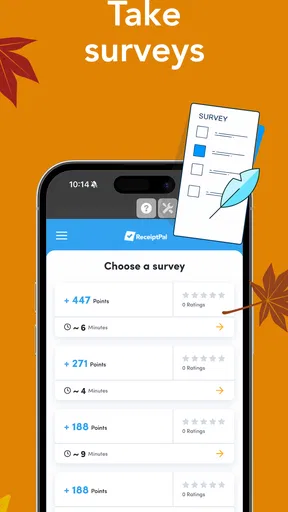
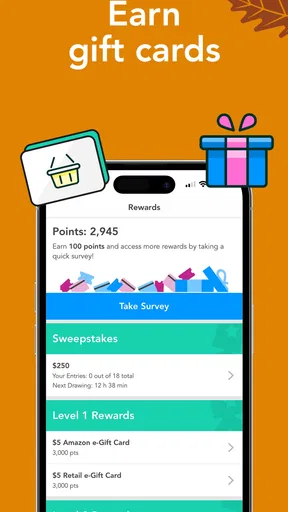
 Analysis by AppCompare
I tried Receipt Pal as a simple way to turn everyday shopping receipts into rewards, and my first impression was that it is built around routine rather than excitement. The idea is easy to understand: scan receipts, keep using the app consistently, and work toward gift cards. It belongs to the shopping category, is free to use, and carries an Everyone age rating, so it feels aimed at ordinary household shoppers rather than a narrow group of bargain hunters.
That simplicity is both its strongest quality and its main limitation. I would recommend it to someone who already keeps receipts and does not mind adding a small step after shopping. I would be less enthusiastic for anyone expecting instant savings at checkout, unusually large rewards, or a sophisticated price-comparison tool. Receipt Pal is better viewed as a background habit that can gradually produce something useful than as a replacement for couponing or cash-back services.
How Receipt Pal feels in everyday use
I find Receipt Pal easiest to judge as a small, ongoing exchange: I give it a moment of attention after shopping, and in return I work toward a gift card. That makes trust part of the everyday decision, not an abstract question—especially when a receipt can reveal what I bought and where. I’d decide what I’m comfortable submitting before making scanning a habit, then look closely at the choices the app presents as I use it.
A quick routine, with realistic speed expectations
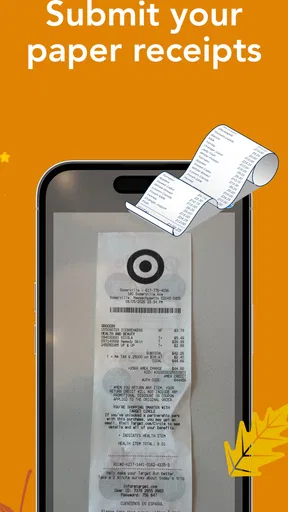
The central task is straightforward: open the receipt scanner, capture the receipt, and let the app process it. In my experience, the perceived speed depends less on complicated navigation and more on how carefully the receipt is positioned. A flat, well-lit receipt is naturally easier to scan than a crumpled slip with faint printing. That sounds obvious, but it makes a real difference when you are standing beside the shopping bags and trying to finish quickly.
I found the best workflow was to scan receipts immediately after unpacking groceries, while they were still easy to find. Waiting until the end of the week creates a small pile of paper, and that turns a quick habit into an annoying chore. The app makes more sense when used in short bursts: one receipt after a supermarket visit, another after a pharmacy run, and then leave it alone.
There is also a useful psychological advantage to separating scanning from shopping. I do not have to change where I shop or plan every purchase around a promotion. Instead, I can treat the scanner as a post-purchase step. That makes Receipt Pal less demanding than apps that require activating offers before buying, remembering exact brands, or submitting separate claims for individual products.
Still, “quick” should not be confused with instantaneous. Receipts vary wildly in length and print quality, and a long receipt may require more care than a compact one. If the first capture does not look right, taking another image is usually more sensible than assuming the text was recognized perfectly. My practical tip is to use a contrasting surface and keep the receipt as straight as possible. A few seconds spent preparing the image can prevent repeated attempts later.
Worth Reading Before You Choose

EA SPORTS FC Mobile 26 Is a Bigger Football Game, but It Takes Time

Flipboard Shows What News Apps Must Do Beyond the Feed

Switching to Android Auto Means Rethinking Your Driving Routine

Google Calendar Makes a Crowded Week Easier to Manage

Ludo King Makes the Most of the Minutes Between Plans

Baby Panda World Brings Quick Play to Modern Phones, but Its Game Library Feels Busy
What happens during heavier use
Receipt Pal is most likely to feel demanding when several receipts have accumulated. A weekend of shopping, travel purchases, or a large household errand can leave you scanning multiple documents in one session. That is where the difference between a pleasant routine and a tedious task becomes noticeable. The app is not difficult to understand, but the work is repetitive, and the value of each individual scan may feel modest.
I would not recommend saving every receipt for a monthly catch-up session. Apart from making the process feel heavier, delayed scanning increases the chance that a receipt will be misplaced, folded, or faded. A better approach is to create a personal rule: scan before throwing the receipt away, or keep a small temporary envelope for receipts that need attention that evening.
For families, the app can fit into a shared household routine, but only if one person takes responsibility for it. Passing receipts between several people makes it easier to forget who scanned what. I would also avoid photographing a whole stack in a rush. The more consistent the process, the easier it is to notice whether a submission needs another attempt.
One non-obvious trade-off is that convenience comes from accepting some repetition. Receipt Pal does not remove the need to handle receipts; it gives that handling a possible reward. If you already use digital receipts, the experience may be less naturally integrated into your shopping habits than it is for someone who regularly receives paper receipts. That does not make it useless, but it changes how much effort the reward feels worth.
Stability and recovering from interruptions
For this kind of app, reliability is not only about whether the scanner opens. It is also about whether I can recover when something goes wrong: a receipt is too long for one image, the camera view is unclear, or I leave the process midway. My advice is to treat each receipt as unfinished until the app has clearly accepted it. Do not discard the paper immediately after taking the picture.
That small habit protects against the most frustrating failure: believing a receipt was submitted when it still needs attention. Keeping the original receipt nearby until the scan is complete also helps if the image needs to be retaken. It is a simple recovery method, but it matters more than chasing a perfect first attempt.
I also prefer using the app when the phone is not already overloaded with other tasks. If I am switching rapidly between shopping lists, messages, and the camera, the process feels less controlled. Receipt scanning is easier when I stop for a moment, check the framing, and finish one document before moving on. This is not a reason to avoid the app; it is a reason to use it as a focused two-minute task rather than something done while distracted.
The app comes from The NPD Group, Inc., and its established presence is reflected in its broad user base. It has passed the million-install mark, with an average rating of 3.9 from roughly forty-two thousand ratings and about nineteen thousand written reviews. Those figures suggest a service that many people find useful, while also hinting that it will not satisfy everyone equally. I read that as a reason to keep expectations practical: it is a functional rewards tool, not a guaranteed fit for every shopping style.
Phone age, operating system, and resource expectations
The current version is 11.2 and requires Android 7.0 or later. That minimum is important for people using an older phone. Before planning a long-term receipt habit, I would check the device software first, especially if the phone is several years old or has limited storage. A compatible operating system does not automatically mean a smooth experience on every device, but it removes one basic obstacle.
Because the main activity involves receipt images, available storage and camera condition are more relevant than raw specifications alone. A phone with a scratched lens, weak focus, or a nearly full storage area can make a simple scan feel unreliable. Cleaning the camera lens and freeing a little space are sensible first steps before blaming the app for poor captures.
I would also avoid scanning in very dim light or under glare. This is a device constraint rather than a special feature, but it has a direct effect on perceived performance. A phone can open the app quickly and still produce a frustrating result if the receipt image is hard to read. Using a table near a window or a steady indoor light is often more helpful than repeatedly tapping the shutter.
On resource use, I would expect the heaviest moment to be the scan itself rather than ordinary browsing. The app is not something I would keep open continuously. My preferred pattern is to launch it when I have receipts ready, complete the task, and close it. That keeps it from becoming another constantly active item in my daily phone routine and makes its presence feel appropriately small.
Who gets the most value from it
Receipt Pal suits people who shop regularly and can build a repeatable scanning habit. A parent managing weekly groceries, a student buying household supplies, or anyone who makes frequent small purchases may find the cumulative approach more appealing than a single large discount. The strongest candidate is someone who already keeps receipts for budgeting, returns, or expense tracking, because the reward scan can be attached to an existing behavior.
It is also useful for people who dislike complicated reward systems. The basic concept does not require learning a large catalog of rotating deals before entering a store. I can shop normally and deal with the receipt afterward. That makes it less mentally demanding than coupon-heavy alternatives, even though it may offer less immediate control over the exact savings.
A realistic example is a weekly grocery trip. I unload the bags, place the receipt on the kitchen counter, and scan it before recycling the paper. If I repeat that after other ordinary shopping trips, the app becomes part of the unpacking routine rather than a separate project. The reward is not the reason I change my grocery list; it is a small return attached to purchases I was already going to make.
People who should skip it are those who hate photographing receipts, rarely shop in ways that produce receipts, or want savings applied immediately at checkout. If your priority is finding the lowest current price, a price-comparison service is usually more direct. If you want discounts on specific products before buying them, a coupon or store-loyalty app may be a better match. Receipt Pal wins through low planning effort, not through maximum precision.
How it compares with familiar alternatives
Traditional paper-receipt organization gives me control but no reward. I can file receipts by month or photograph them into a notes app, yet that approach is mainly useful for records. Receipt Pal adds an incentive to the same physical document, which is its clearest advantage. The trade-off is that I am handing the receipt to a dedicated rewards workflow instead of simply storing it for my own reference.
Store loyalty programs are often stronger when I want targeted discounts, member pricing, or purchase history from one retailer. Their weakness is that they are tied to individual stores. Receipt Pal is more appealing when my shopping is spread across different places and I want one general routine rather than several separate accounts and offer calendars.
Cash-back and coupon apps can produce more visible savings on a particular purchase, but they usually ask for more planning. I may need to activate an offer, buy an eligible item, and then submit proof. Receipt Pal feels calmer because it starts after the purchase. That convenience is valuable, although users who enjoy optimizing every transaction may find the process too passive.
The most practical strategy may be combining tools without duplicating effort. Use a store program when it gives an immediate discount, use a coupon service when a product-specific offer is worthwhile, and scan the remaining eligible receipts with Receipt Pal if the extra step still feels reasonable. The important point is not to let rewards apps turn a normal shopping trip into administrative work.
Small habits that improve the experience
My first tip is to choose a fixed scanning moment. “Later” is unreliable, while “after I put away the groceries” is specific. My second is to keep receipts flat until they are processed. Folding them into a wallet makes the camera task harder and increases the chance of missing a corner or line of text.
My third tip is to review the receipt visually before submitting it. Check that the top, bottom, and sides are visible, and retake the image if glare hides important text. This takes less time than discovering later that the scan was incomplete. It is especially useful with long receipts, where a rushed image can omit details at either end.
A fourth insight is to decide in advance how much effort you are willing to spend. If a receipt repeatedly refuses to scan, do not let one difficult document consume the time saved by the entire rewards habit. Keep the original until you are satisfied, try a better surface or angle, and then move on. The value of this app comes from consistency over many ordinary receipts, not from winning a battle with one badly printed slip.
Finally, I would use a separate mental category for reward money. Treating it as a bonus makes the app feel pleasant; treating it as part of the grocery budget can create disappointment. Since the service is free, the main investment is attention, and that attention should remain proportionate to the reward you expect.
My performance verdict
Receipt Pal is a focused shopping app with a sensible promise: turn receipt scanning into progress toward gift cards without requiring me to redesign the way I shop. I like its low-pressure structure and the fact that it can fit into a short post-shopping routine. The experience is most convincing when receipts are scanned promptly, in good light, with a phone that meets the Android 7.0 requirement and has a dependable camera.
It is not the right choice for instant discounts, detailed price hunting, or people who will resent handling receipts after every purchase. Its performance also depends on user discipline more than I initially expected. A neglected stack of receipts makes the app feel slow and burdensome, while a consistent one-at-a-time workflow keeps it manageable.
The app is free, supports an Everyone-rated experience, and has been available since Apr 18, 2014, giving it a long history in this particular rewards niche. I would recommend trying it if you already receive and keep shopping receipts, especially if you prefer a simple routine over complicated offer hunting. My honest recommendation is to judge it by whether scanning becomes effortless after a week of normal shopping. If that habit sticks, Receipt Pal can be a worthwhile little addition; if every scan feels like paperwork, a direct cash-back or store-discount alternative will probably suit you better.
For me, the deciding factor is not dramatic speed or a flashy interface. It is whether the app stays out of the way while giving an ordinary receipt a second purpose. Used with realistic expectations, that is where Receipt Pal makes the most sense.
Pros
- Simple receipt scanning process with clear instructions
- Supports digital receipts from participating retailers
- Rewards can be redeemed for various gift card options
- Useful for tracking eligible purchases in one place
- Low-effort way to earn rewards from everyday shopping
Cons
- Receipt eligibility varies by retailer
- purchase type
- and promotion
- Rewards may require significant scanning before reaching redemption limits
- Processing can take time before receipts and points are approved
- Some features may depend on location or account availability
- Frequent notifications and promotional messages may feel intrusive
FAQs for Receipt Pal: Scan for Rewards
What is Receipt Pal: Scan for Rewards, and how does it work?
Receipt Pal: Scan for Rewards is a receipt-scanning rewards app that lets users submit images of eligible shopping receipts in exchange for points. After installing the app, you typically create an account, photograph or upload a receipt, and wait for it to be reviewed. Approved receipts add points to your balance, which can later be exchanged for available rewards.
What types of receipts can I submit to Receipt Pal?
Receipt eligibility may depend on the retailer, purchase date, receipt quality, and the information visible in the image. In general, users should submit clear, original receipts from qualifying stores and avoid blurry, cropped, duplicated, or heavily damaged images. Before scanning, check the app’s current rules because accepted retailers, time limits, purchase requirements, and submission limits can change.
How long does Receipt Pal take to approve a receipt and award points?
Receipt processing is not always instant. After uploading a receipt, the app may review details such as the retailer, date, total, and whether the receipt has already been submitted. Some scans may be approved quickly, while others can take longer if additional verification is required. If points do not appear after the stated processing period, review the submission status and contact support.
What rewards can I get with Receipt Pal points?
Receipt Pal rewards depend on the options currently available in your account and the number of points you have earned. Redemption choices, required point totals, availability, and delivery methods may vary by location and can change over time. Carefully read the reward description before confirming a redemption, since some rewards may have restrictions, expiration conditions, or limited availability.
Is Receipt Pal safe to use, and what personal information does it collect?
Receipt-scanning apps need certain information to operate, including account details, submitted receipt images, and usage data. Receipts can also reveal shopping habits, retailers, purchase dates, and transaction totals. Before signing up, review Receipt Pal’s privacy policy, permissions, and terms of service. Only grant access that seems necessary, avoid submitting receipts containing sensitive personal information, and use a strong, unique password.


